Viewing a Ticket
Open a ticket from the ticket list to see its full detail page.
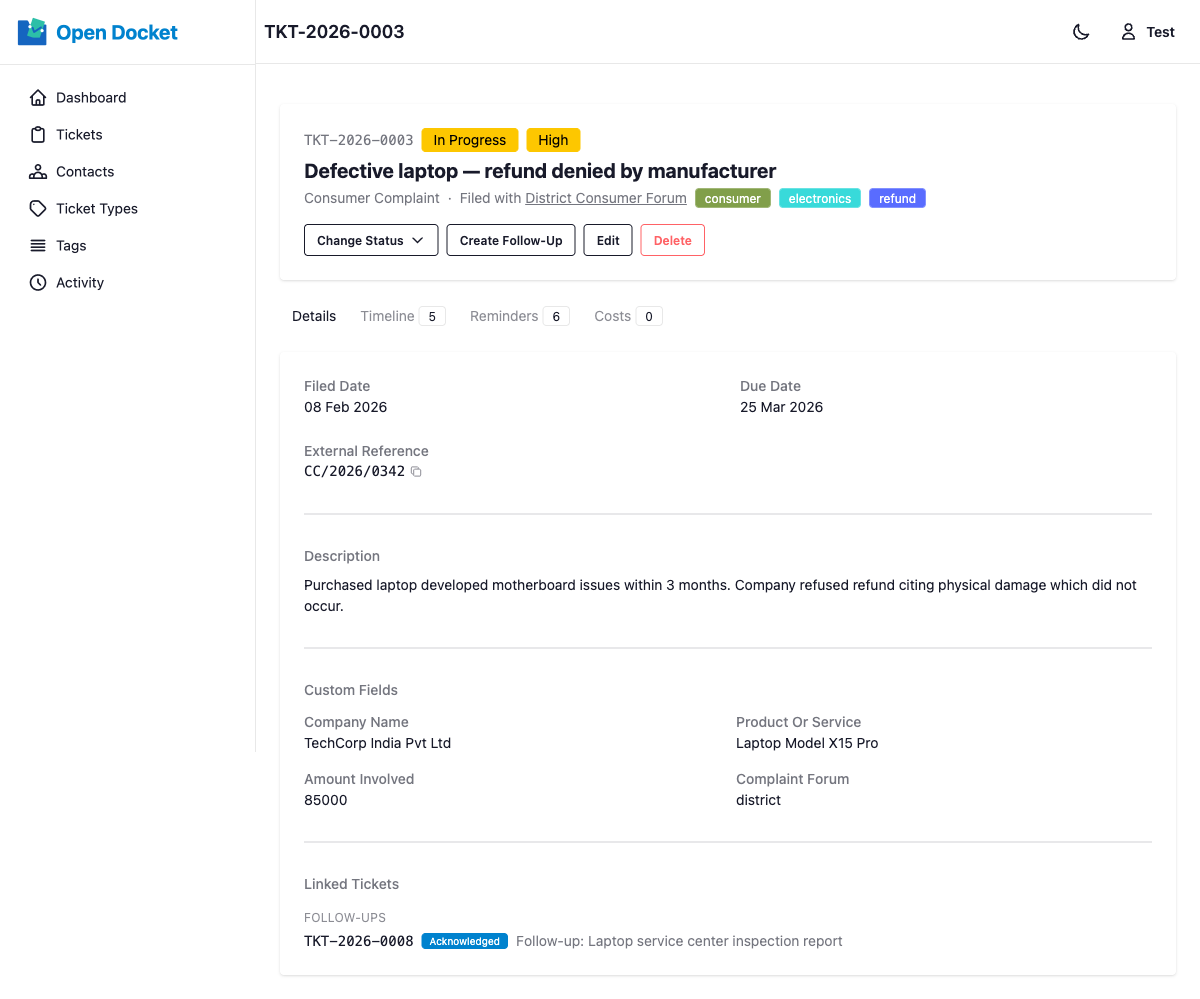
Header
The top of the page shows:
- Reference number (e.g.
TKT-2026-0042) - Status and Priority badges
- Title
- Metadata line: type · filed-with contact · tags
Actions Bar
Below the header is the actions bar:
| Action | Description |
|---|---|
| Change Status | Dropdown showing only the valid next statuses (state machine enforced). |
| Create Follow-Up | Creates a new ticket pre-linked to this one as its parent. See Follow-Up Tickets. |
| Edit | Opens the edit form for this ticket. |
| Delete | Soft-deletes the ticket after a confirmation prompt. |
Details Tab
The Details tab contains:
- Filed date, due date, and closed date (if applicable)
- External reference number
- Created by and created at timestamp
- Description
- Custom field values (as defined by the ticket type)
- Linked Tickets: the parent ticket (if this is a follow-up) and any follow-up children
Timeline Tab
The Timeline tab shows a unified, reverse-chronological view of:
- Documents attached to the ticket (listed at the top of the section)
- Comments left by users
- Automatic activity log entries (status changes, edits, etc.)
See Comments & Timeline for details on adding comments.
Reminders Tab
The Reminders tab shows all reminders associated with this ticket and provides a form to add new ones. See Managing Reminders.
Costs Tab
The Costs tab shows all expenses recorded against this ticket. A summary card at the top displays the total cost across all entries. Each cost entry shows its amount, date, description, and the user who added it. You can add, edit, and delete costs directly from this tab. See Tracking Costs.