Filtering and Searching Tickets
The ticket list page includes a filter bar and a search box to help you find specific tickets quickly.
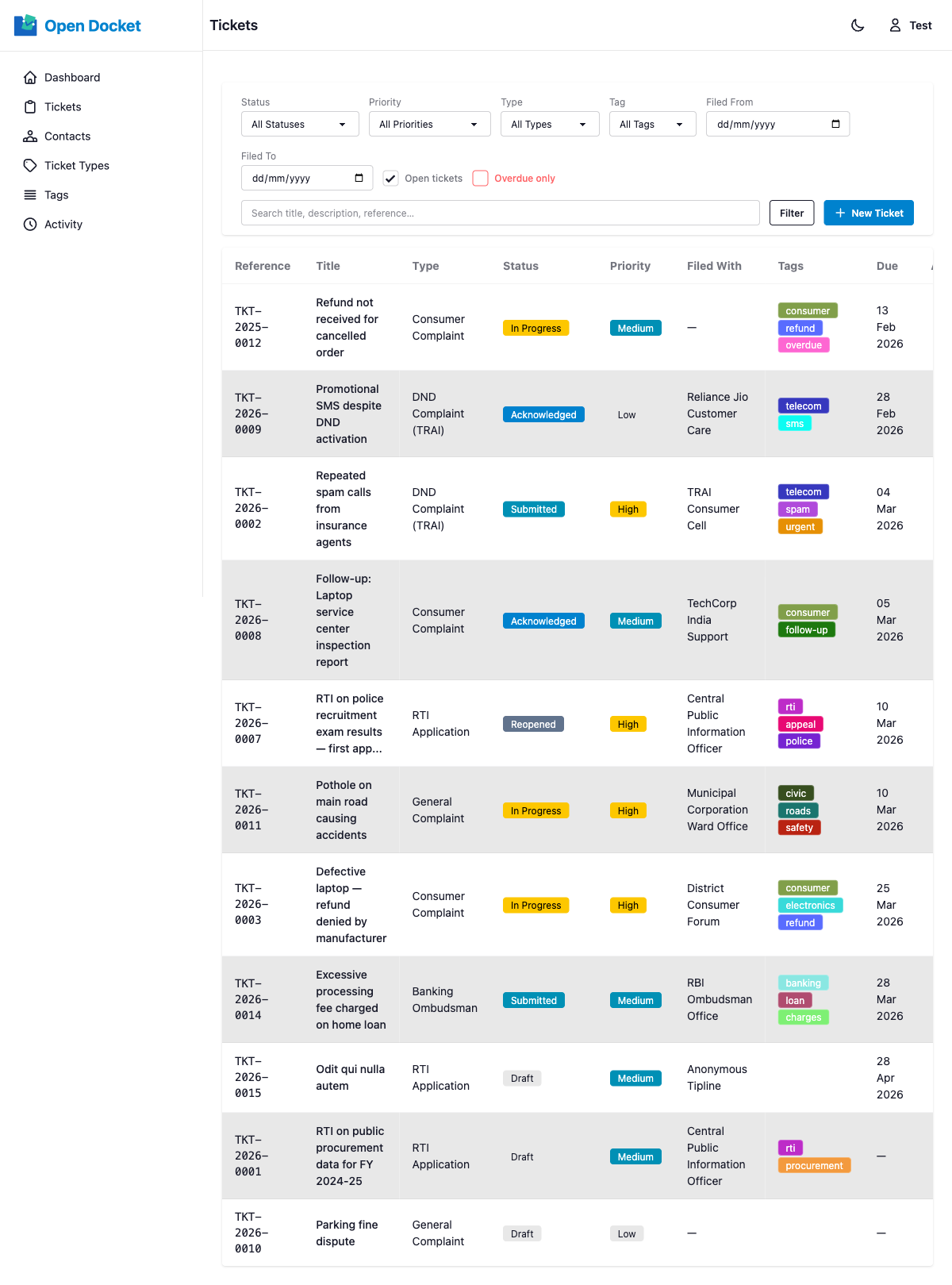
Filter Bar
| Filter | Options |
|---|---|
| Status | Any of the 8 status values |
| Priority | Low, Medium, High, Critical |
| Type | Any active ticket type |
| Tag | Any tag in the system |
| Filed From | Date picker — tickets filed on or after this date |
| Filed To | Date picker — tickets filed on or before this date |
| Overdue | Checkbox — shows only tickets past their due date |
All active filters are combined with AND logic (all conditions must match).
Click Clear to reset all filters and return to the full list.
Search Box
The search box matches against:
- Title
- Description
- Reference number (e.g.
TKT-2026-0042) - External reference
Searches are case-insensitive.
Shareable Filter URLs
Filter state is persisted in the URL query string. You can copy and share the URL with a colleague and they will see the same filtered view.